Generate documents from templates. Send, sign, file.
Turn Word templates into documents for staff, locations, suppliers, and clients. Route them for e-signing. Keep each PDF on the right record.
Free forever tier. No credit card. Cancel in two clicks.
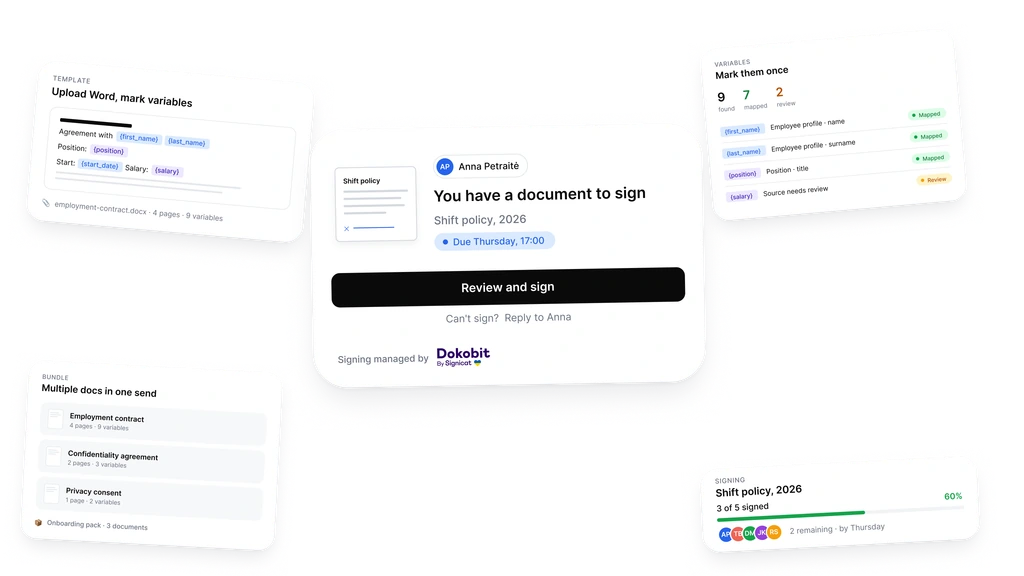
Templates for the documents you send every week.
Upload the Word file you already use. Mark the parts that change.
Tag the variables once. Name, role, date, amount, location. The next document takes seconds. No copy-paste. No silent typo where it matters most.
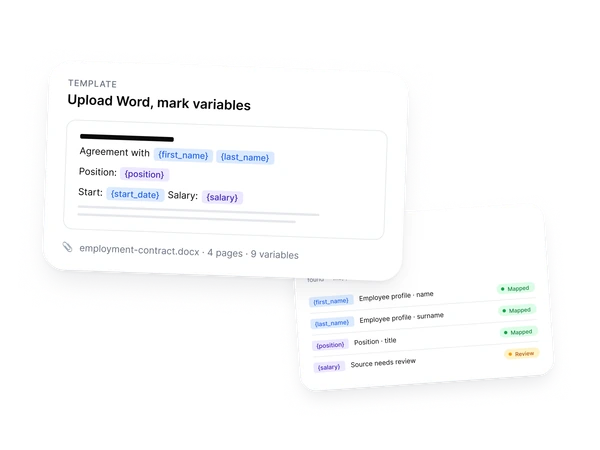
Stop retyping the same fields.
Backoffice pulls from records you already keep. The document fills itself.
Names, roles, dates, amounts pull straight from the profile that already exists. Employee, supplier, partner, client. Nothing to retype, nothing to mistype.
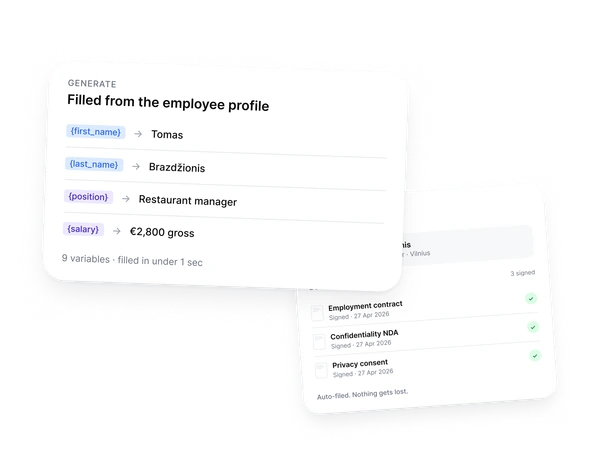
Several documents. One send.
Some moments need more than one signature. Send the whole pack.
Setting up a supplier? Agreement, pricing schedule, and onboarding forms together. Onboarding a hire? Contract, policy, and consent in one bundle. The recipient opens one link. You watch one screen.
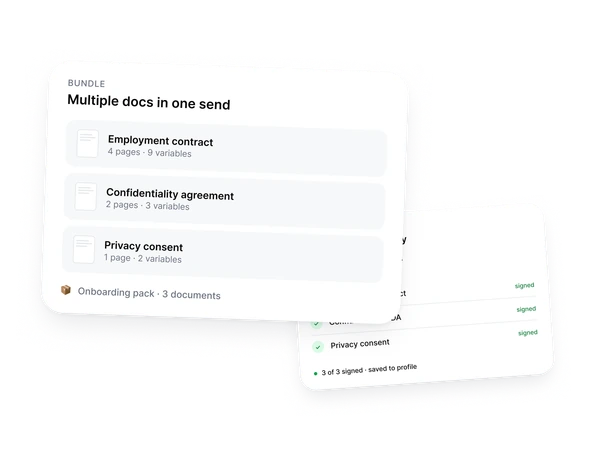
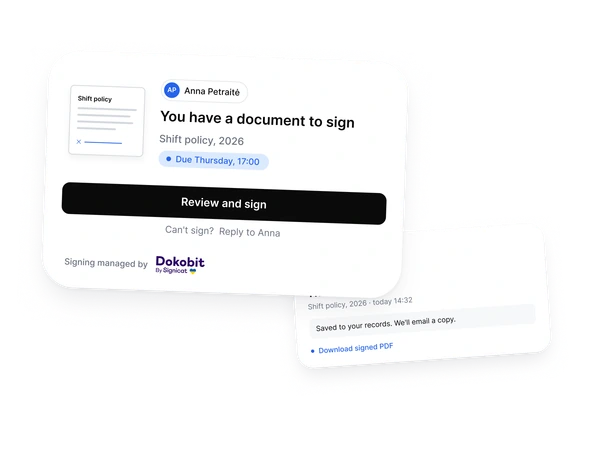
A clean email. A single button.
What your recipient actually sees.
One link. Review and sign. They confirm identity in seconds. They see exactly what they're signing. The signed PDF lands back in Backoffice, and a copy goes to their inbox.
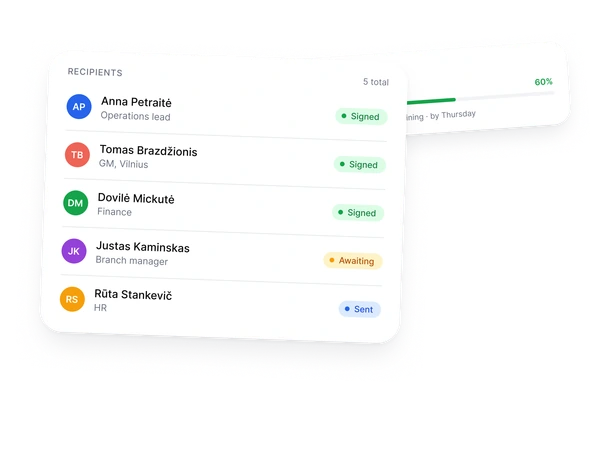
See who signed. See who hasn't.
Live status. No reminder emails to write yourself.
Your bundle shows 3 of 5 signed. Each name, each timestamp, every overdue signer in one view. One click sends a nudge to whoever's holding things up.
Pick the docs at invite. They send themselves later.
Invite the hire. Mark what they should sign. Walk away.
When you invite someone into Backoffice, preselect the documents they should sign. The moment they finish registration and their profile fills in, every document generates, sends itself for signature, and files into their record. No follow-up clicks. No checklist to keep in your head.
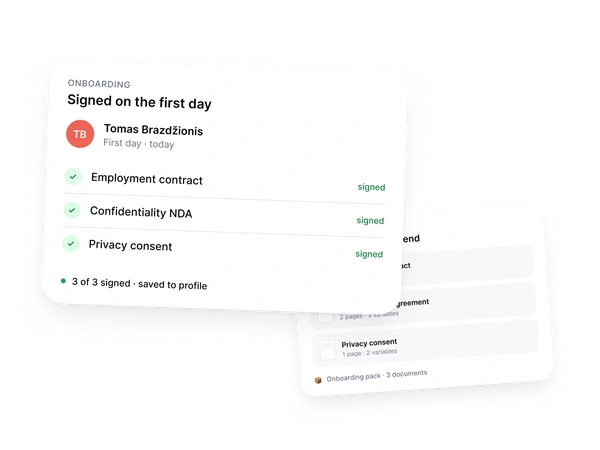
Drafting an employment contract used to mean hours of editing and digging for information. Now the system fills everything in on its own. All that's left is to send it for signing.
Ready? Setting up the first template is faster than drafting one document by hand.
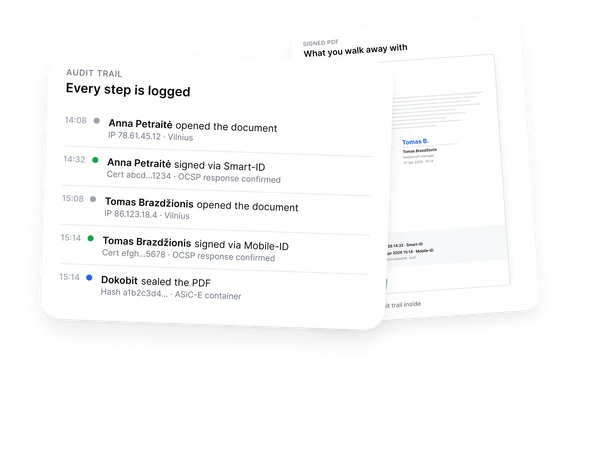
Start with your first templateA complete signing record.
Signing managed by Dokobit with Smart-ID, Mobile-ID, and other supported methods.
Every step is recorded against the document: who opened it, who signed, when, from which IP, and with which certificate information. The signed PDF and signing record stay together in Backoffice.
Frequently asked questions
-
What is kept after a document is signed?
Backoffice stores the signed PDF together with the signing record: timestamps, signer details, IP information, and certificate information where available. It stays on the right employee, location, supplier, client, or agreement record.
-
Does it work beyond employees? Suppliers, partners, clients?
Yes. Use the same template engine for the operational documents you send to staff, suppliers, partners, or clients. Signed PDFs file against the right subject instead of sitting in someone's inbox.
-
Which signing methods do you support? What about non-Lithuanian signers?
If the signer does not have Smart-ID, Dokobit can send a link for video identity verification (SignicatID) or SMS OTP. National ID cards from Estonia, Latvia, Belgium, and Finland also work, plus Mobile-ID, Latvian eParaksts mobile, and Estonian e-Residency.
-
Can every location use the same approved templates?
Yes. Keep the approved template centrally and let each location generate documents from it with its own data. Teams do not need to keep separate Word files on local drives.
-
Can I use my existing Word templates?
Yes. Upload the Word file you already use, mark the parts that change, and the template is ready. The document wording stays under your team's ownership. Backoffice fills the fields and manages the send, signature, and filing.
-
Who can edit templates?
You decide who owns and edits templates. Managers can generate documents from approved templates without changing the master wording.
-
Who can see signed documents?
Access follows Backoffice permissions. A location manager can see the records they are responsible for, while HR or head office can keep broader access where needed.
-
Can I set expiry dates and reminders?
Yes. Track documents that are waiting for signature, send reminders, and cancel or reassign a request before it is signed. Use expiry dates where a link should not stay open indefinitely.
-
What does a signature actually cost?
Each paid plan includes a monthly signature quota. Extras are €0.40 each. Multiple locations or high volume? Get in touch.
-
What counts as one signature?
One signer on one document. A bundle of three documents to one person counts as three. One contract sent to five people counts as five. No surprises on the invoice.
-
Does Backoffice replace legal advice?
No. Your team owns document wording and approvals. Backoffice generates documents from your templates, routes them for signature, and stores the signed PDF and signing record in the right place.
Drafted. Signed. Filed. Same day.
Set up the first template faster than you would draft one document by hand.
Start free. No card.Free forever tier. No credit card. Cancel in two clicks.