A rota in minutes. Not hours.
Build rotas, control labour cost, and keep worked hours ready for payroll across one or many locations.
Free forever tier. No credit card. Cancel in two clicks.
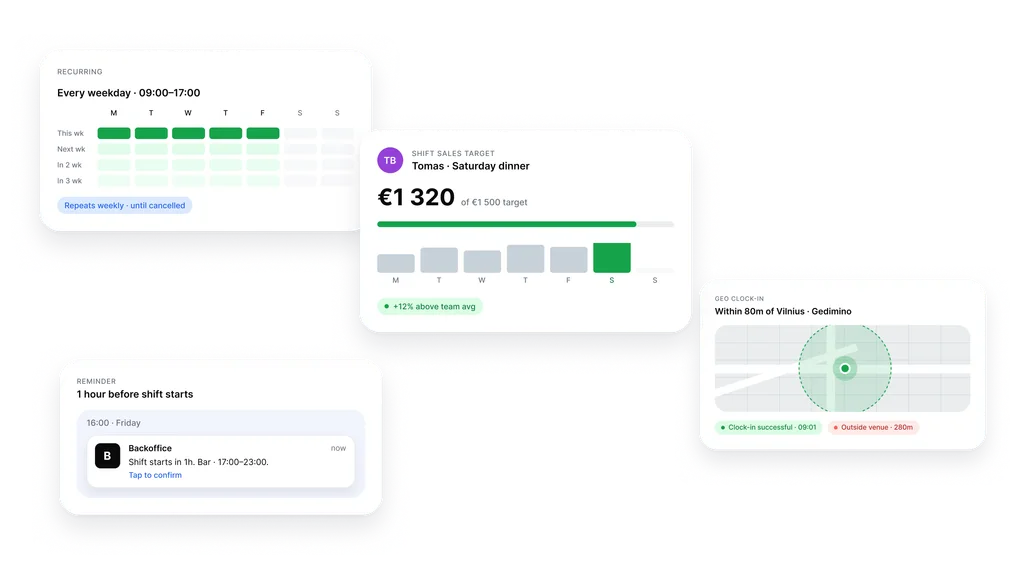
One template. A whole week.
Recurring shifts and templates. Build it once. It repeats itself.
Friday close. Weekend brunch. Late service. You set who works, when, and how many. Backoffice posts the shifts ahead, until you cancel. The roster gets built once, not every Sunday night.
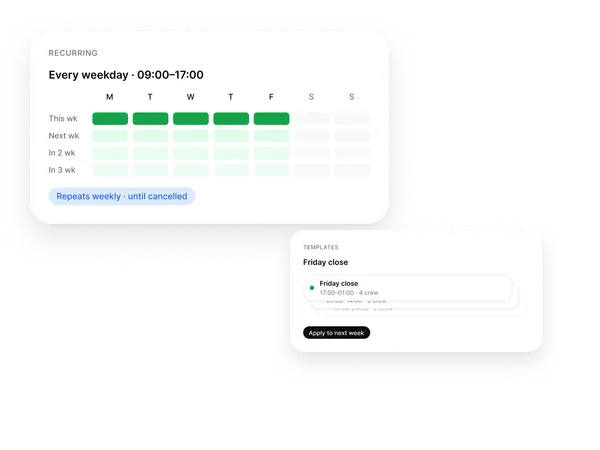
Open shifts get claimed by staff.
You set the requirements. Eligible staff claim from their phone.
Role, skill, location. You set what the shift needs. Eligible staff get a notification in the app and claim it in one tap. The first responder takes the shift. You see the list: who took it, when, what is still open.
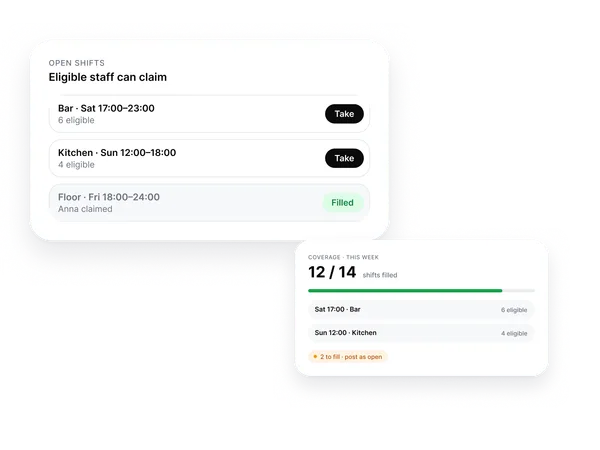
Swaps happen between staff.
Two people agree in the system. You approve with one tap.
Anna can’t make Saturday. She asks Tomas in the system. Tomas agrees. You get the request and approve. The swap shows up on the roster, both staff get a notification. End of phone calls and group-chat threads.
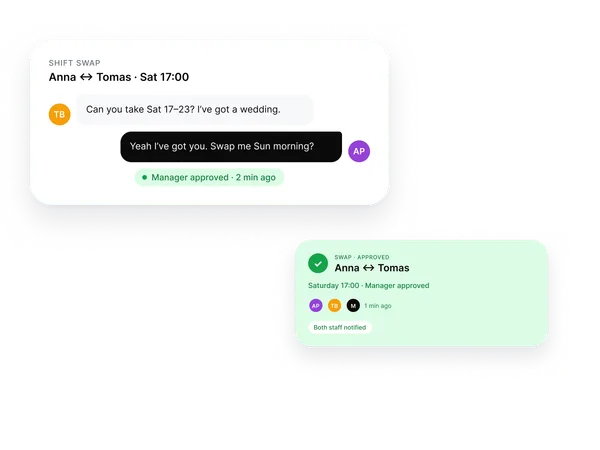
Reminders before. Auto clock-out after.
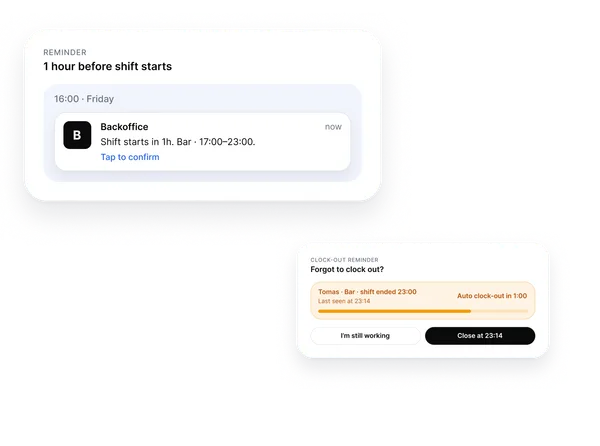
Backoffice runs the shift checks in the background. Before and after the shift.
An hour before the shift, the employee gets a notification on the phone. If someone forgets to clock out, the system closes the shift at the right time and prompts them. You see who confirmed, who is late, who is a no-show. No Sunday-night phone calls.
Clock-in only at the venue.
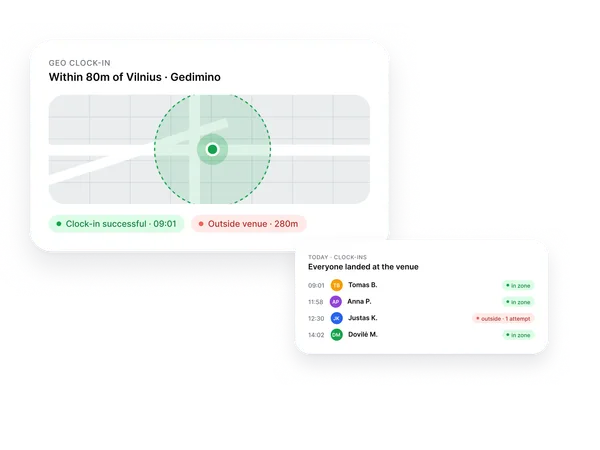
Geofenced clock-in confirms the start only when the employee is at the venue.
Open the app, tap clock-in. The system checks the venue radius. Outside the zone the clock-in is rejected and flagged to you. Inside the zone it confirms automatically. Real time worked, not the planned one.
Sales come back to the card on their own.
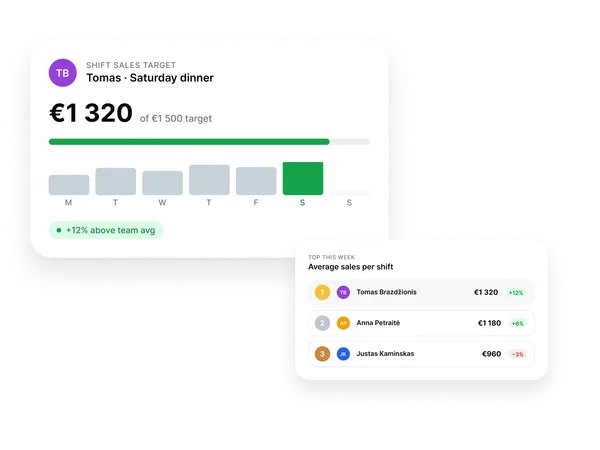
Each employee sees their shift target. POS sales return automatically.
Link the POS user to the employee card and per-shift sales start landing back automatically. The employee sees how much is left to hit target. You see who runs above team average. You talk about performance with numbers, not vibes.
Overtime visible before it costs you.
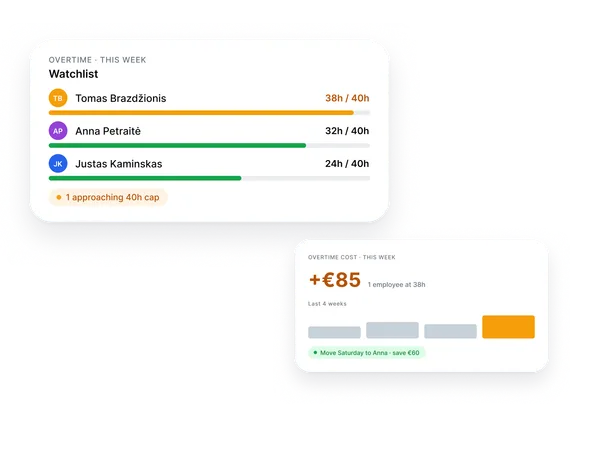
Watchlist for staff approaching the configured weekly limit. Warning shows up before the bill does.
The schedule tracks weekly hours per person on its own. Anyone approaching the configured weekly limit is flagged in orange. You see the watchlist ahead of time: who is over, who can take a day off. Overtime cost stops slipping through the cracks.
Labour as % of revenue. Live.
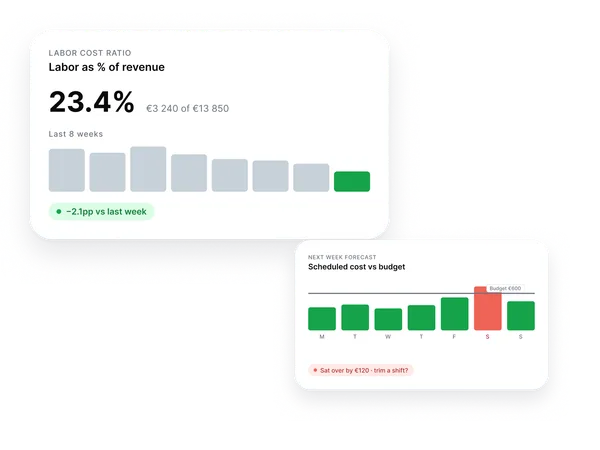
Labour share of revenue, the weekly trend, and next week’s forecast against budget.
Today, 23%. Last week, 25%. The trend is dropping. Next week is scheduled at €3,500 of labour. Saturday goes over budget by €120. You see it before the roster goes out, not at the end of the month.
First shift takes a few minutes. The rest of the week sets itself.
Start free. No card.Frequently asked questions
-
How do recurring shifts work?
You build a template: role, hours, headcount. Mark how often it repeats: daily, weekly, weekdays only. Backoffice posts the shifts ahead. You can cancel a single occurrence or the whole pattern any time.
-
How do staff claim open shifts?
You post a shift with the requirements: role, skill, location. Eligible staff get a notification in the app. The first to respond claims the shift. You can require an extra approval before it locks in.
-
Do swaps require manager approval?
By default, yes. Two staff agree in the system, you get the request and approve with one tap. You can configure auto-approval when both staff hold the same role and skill set.
-
How does geofenced clock-in work?
You set the venue location and a radius, typically 50–100 m. The employee opens the app and taps clock-in. Inside the zone it confirms. Outside the zone it is rejected and the attempt is logged for you.
-
What happens if someone forgets to clock out?
After the shift ends the app prompts the employee. If there is no response, the shift closes automatically at the planned end time. You see the event and can adjust manually if needed.
-
Do per-shift sales targets work with my POS?
We link the POS user to the employee card and per-shift sales start landing back automatically. We currently support Syrve, r_keeper, and nSoft. Before you switch, we confirm whether your POS setup is supported.
-
How do I keep an eye on overtime?
The schedule counts weekly hours per person automatically. Anyone approaching the configured weekly limit is flagged in orange. You can configure alerts ahead of time so you can move a shift before it turns into overtime.
-
Will Backoffice warn me about risky schedules?
Yes. Managers see warnings for issues such as missing roles, unfilled open shifts, people approaching weekly limits, and clock-in problems. The goal is to fix the roster before service, not after the week is closed.
-
Will staff actually use the app?
The employee flow is intentionally narrow: see the rota, claim a shift, request a swap, clock in, clock out, and receive reminders. Most teams start with one location, make the routine clear, then roll it out wider.
-
Can head office see several locations at once?
Yes. Location managers work with their own rota, while head office can review schedules, labour cost, attendance exceptions, and forecast risk across locations.
-
How is labour as % of revenue calculated?
Shift cost uses the salary on the employee card. Revenue comes from the POS. Backoffice shows the share as a percentage and the trend over a chosen window. Next week’s forecast is compared to the budget you set per location.
-
How do hours get to payroll?
Worked hours, overtime, days off, and leave accumulate on the employee card. Export the period in one click or grant your accountant read access. The data stays yours, in the format your payroll software accepts.
-
How fast can I launch the first schedule?
The first template is set up in minutes. The recurring week is live the same day. Start with one location, make sure it runs cleanly, then add the rest.
Build it once. Runs every week.
Recurring shifts, swaps, and time tracking turn on the same day.
Start free. No card.Free forever tier. No credit card. Cancel in two clicks.