Visible promotion criteria for every hospitality role and location.
Stop progression from depending on memory or who asks first. Your team sees the next step, and managers see the same record.
Free forever tier. No credit card. Cancel in two clicks.
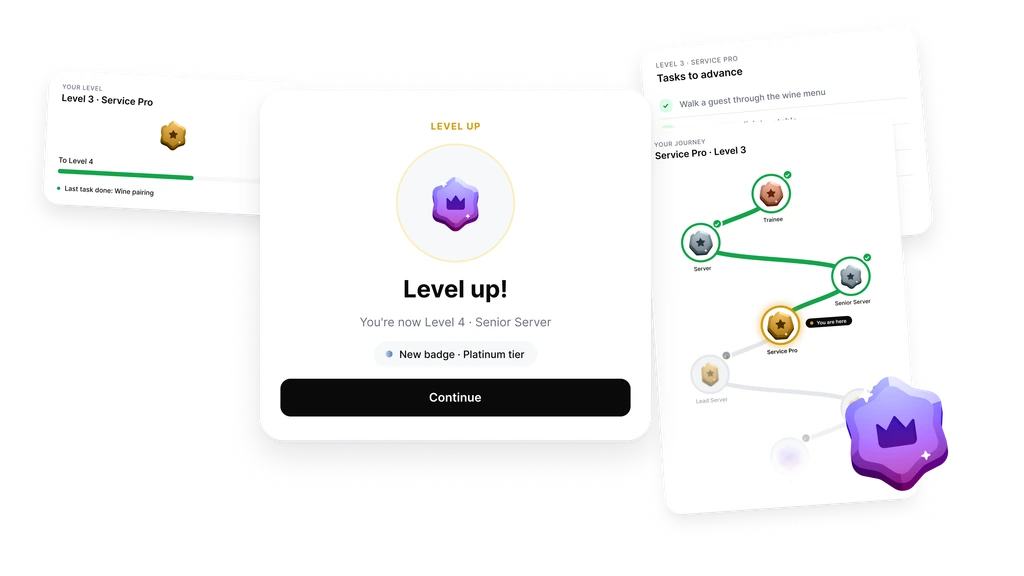
Replacing one trained employee can cost weeks of manager time, onboarding, and lost service quality. Lose several people a year and the cost rarely appears as one neat P&L line. People often leave when they cannot see where they are going. Show the next step while there is still time to retain them.
Set up in an afternoon. Not a quarter.
Levels, tasks, team. Three steps.
-
Define the levels
Type in the names your team already uses. Trainee, Team Member, Senior, Lead. As many or as few as you need.
-
Add the tasks
Attach concrete criteria to each level: role training, onboarding support, service standards, compliance checks. The same things you already check informally.
-
Invite the team
One email. Each person opens it on their phone and sees their level, completed criteria, and what remains before the next review.
Build the progression path your team actually uses.
Define levels, name them clearly, and set the standards for moving up.
Trainee, Team Member, Senior, Shift Lead, Location Lead. Or any structure that fits your service model. Add the criteria that prove readiness for each level, and promotion becomes a shared standard instead of a private conversation. Strong candidates notice a clear path early, and current employees have a reason to stay for the next step.
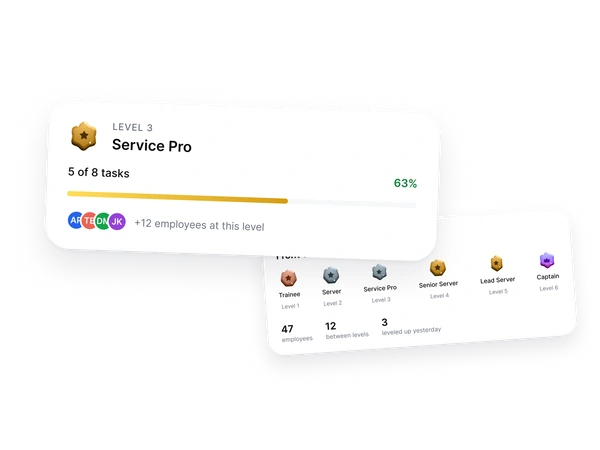
Everyone knows what proves readiness for the next level.
No vague feedback. No "be better." Specific standards people can work toward.
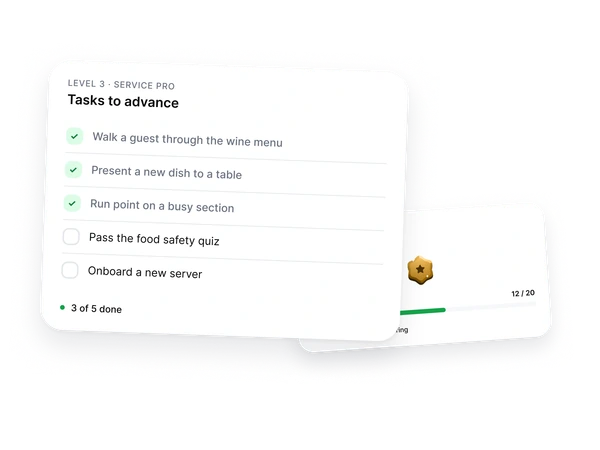
Complete role training. Support a new hire. Pass a compliance check. Handle a busy service context without escalation. The employee sees what remains before review, and the manager sees the same record. New hires reach independence faster because the standards are visible from the start.
A clear record when someone moves up.
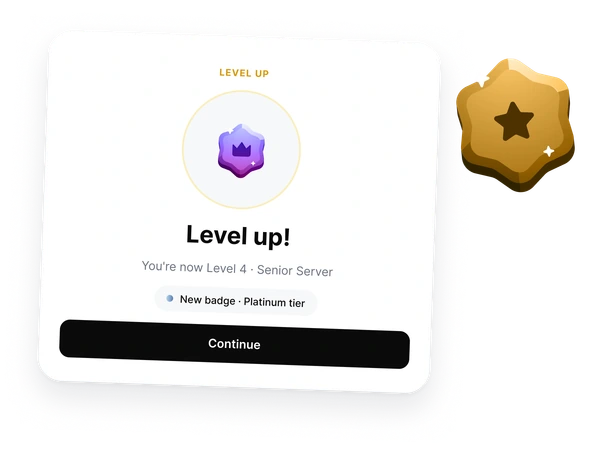
Not a quiet email. A promotion tied to agreed criteria.
Backoffice records the level change, the criteria behind it, and the manager decision. The employee keeps a visible progression history on their profile. Recognition matters, but the real value is fairness: people can see that movement is earned against the same standards.
FOH staff are more motivated to drive bigger sales when they can see the target in front of them.
Set up your first progression path in an afternoon. Not a quarter.
Start free. No card.Progression, on one screen.
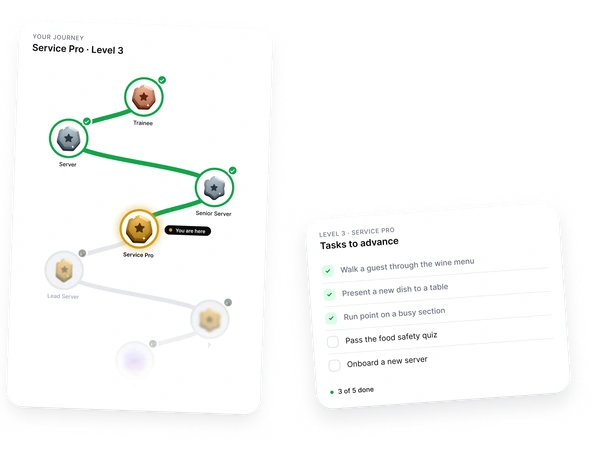
Current level, next requirements, and completed criteria in one place.
Open between shifts. See your current level. See what is complete and what still needs manager sign-off. Close. The path ahead is visible without turning development into a public contest.
See who is ready, and who is quietly stuck.
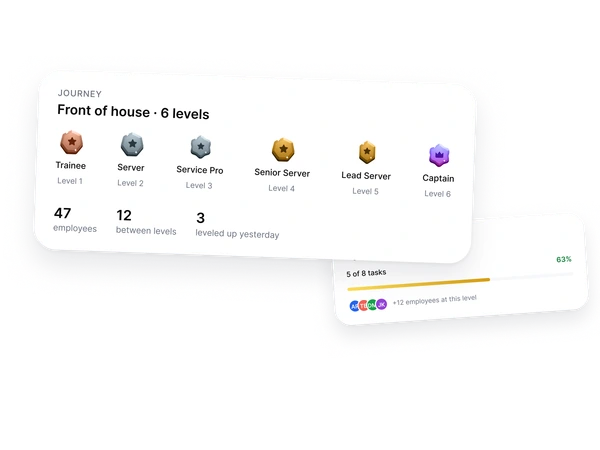
Levels, criteria, and review readiness across the team.
The manager view is an early warning. Who progressed last month. Who has been parked on the same requirement for three weeks. Who needs a development conversation before the next review. HR gets a consistent standard, while managers keep the context needed to make fair decisions.
Which one is you?
Same module. Three shapes, depending on team size.
-
One location, 5-15 staff.
Stop the "why didn't I get promoted" conversation. Three levels ready in an afternoon, and everyone sees the same criteria on their phone.
-
Two to five locations, 30-80 staff.
Same path everywhere, or a different path per site. Every location on one screen, with promotion candidates flagged.
-
Chain or franchise, 80+ staff.
Standardize what "ready for the next role" means. Each new site opens with the same level structure as the flagship.
Frequently asked questions
-
Will this actually reduce turnover?
We can't promise a percentage, but we can explain why this works. People often leave when they cannot see how to move forward or what managers expect from the next role. A concrete path on their phone gives them a reason to stay long enough for a real development conversation.
-
Will the team actually use it, or will it sit unopened?
People open what affects their own progression. Not because the screen is decorative, but because it tells them exactly what is complete, what remains, and what needs manager sign-off. Notifications stay tied to meaningful changes, so it does not become another noise channel.
-
Does this add work for managers?
No. The criteria you already check informally, role training, onboarding support, service standards, and compliance, get ticked once and stay in the record. Reviews open with the answers already on screen: who moved up, who is stalled, who is ready next. Managers document less, not more.
-
How do we launch this without creating politics?
Start with the standards you already use, then publish them before the first review cycle. Everyone sees the same level definitions and the same requirements. The conversation shifts from "why not me" to specific criteria, evidence, and timing. Manager decisions remain possible, but they are recorded with context.
-
Won't this turn into unhealthy competition between staff?
There is no public leaderboard, by design. Each person sees their own path and the requirements for their own level. The comparison is against the level definition, not against a colleague. Recognition can be visible, but the product is built around progression, not ranking.
-
Does this work for part-time and seasonal staff?
Levels and completed criteria stay attached to the person, not the season. A returning employee can pick up where they left off, and a new hire can see the first reachable step from day one.
-
What does this look like across multiple locations?
One system, every location on one screen. You can run a single set of levels across the whole network or different sets per location, if roles or service standards differ. New locations open with the same structure. No rebuilding from scratch.
-
Does every level need to mean a pay rise?
No. Some levels can mark training progress, readiness, responsibility, or eligibility for review. You decide which levels affect compensation and which are development milestones. That distinction helps managers recognize progress without promising a pay change every time someone completes a step.
-
How do HR standards work with manager judgment?
HR can define the baseline standards for each role or location, and managers can add context when real service situations require judgment. Manual level changes are allowed, but the reason is recorded. That keeps standards consistent without pretending every promotion decision is fully automatic.
-
How is it priced, and what happens when the team grows?
Pricing is per location, not per employee. As your team grows inside the same location, the bill does not rise with every new hire. For current plan details, use the pricing page.
-
Where is data stored, and how do I get it back if we cancel?
Data is stored in the European Union and handled under GDPR. You can export the full employee history, levels, and completed criteria as CSV at any time. Cancellation runs in two clicks, and the export stays available afterwards. The data is yours, not our leverage to keep you.
Make progression visible before review season.
Set up your first level and promotion criteria in minutes.
Start free. No card.Free forever tier. No credit card. Cancel in two clicks.