Tasks that follow the shift. Not the chat group.
Assign by role, not by name. Recurring jobs repeat themselves. The same team you already scheduled does the work.
Free forever tier. No credit card. Cancel in two clicks.
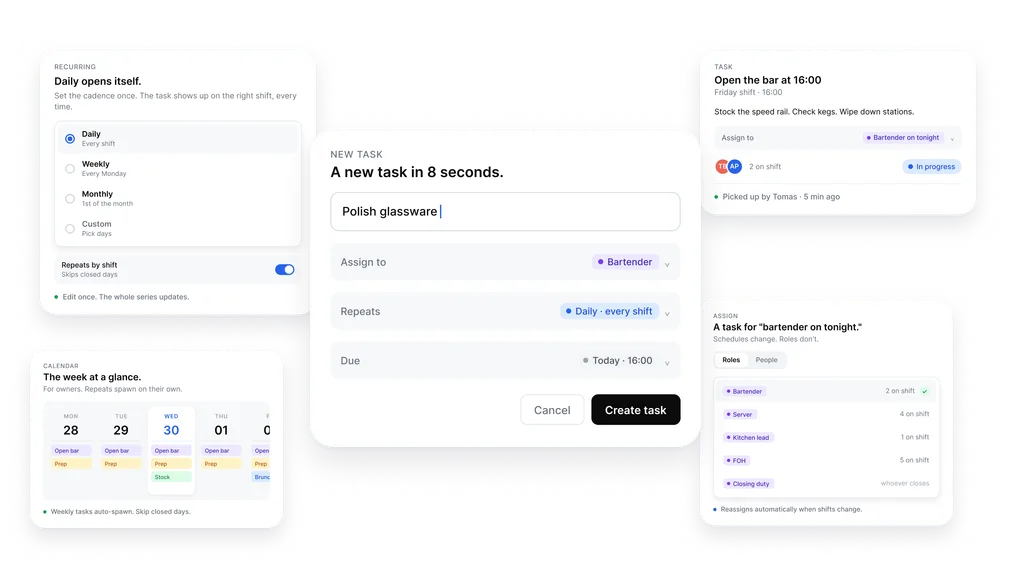
Pick the role. Set the cadence. Watch the week.
Three short setups. Then the floor takes over.
Pick who does it. A role or a name. Pick when it repeats. Daily, weekly, or custom. The task lands on the right phone for the right shift. Done in one place is done across list, board, and calendar.
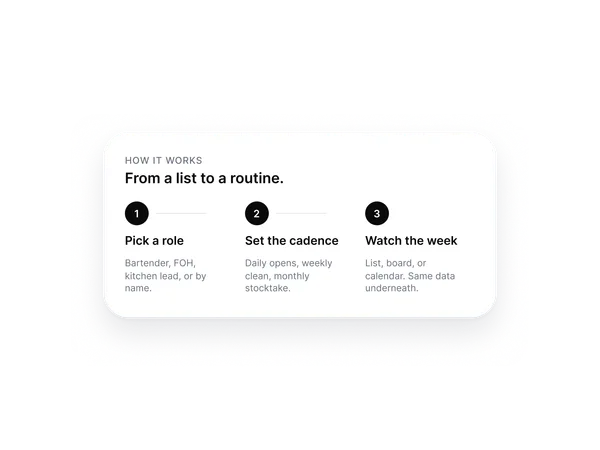
By role. Not by name.
Shifts rotate. Roles don't. The right person picks it up because the system already knows who is on tonight.
Opening checks go to the bartender on shift. Prep list goes to the kitchen lead. Deep clean goes to whoever closes. Reassigns automatically when shifts change. The role stays the same, no matter who is working that day.
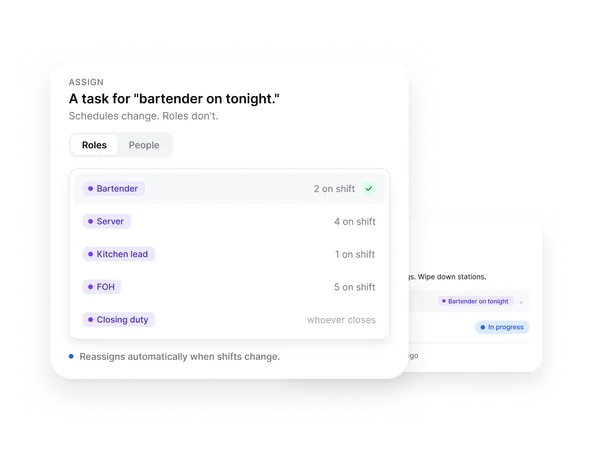
Daily opens itself. Weekly opens itself. Monthly opens itself.
Set the cadence once. The task shows up on the right shift, every time.
Daily, weekly, monthly, or custom intervals. Repeat by date or by shift. One edit updates the whole series. Skip a closed day from the schedule and the recurring task skips with it.
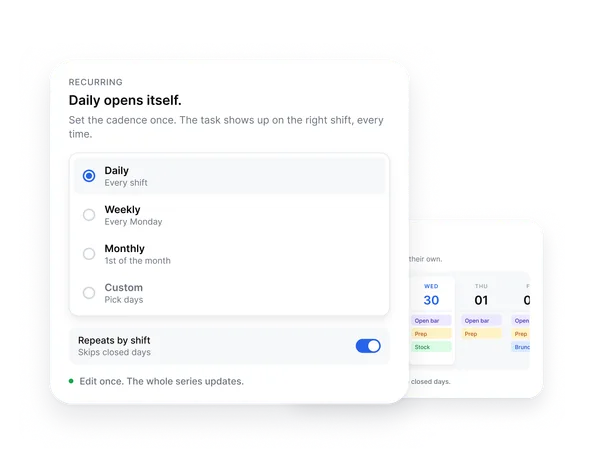
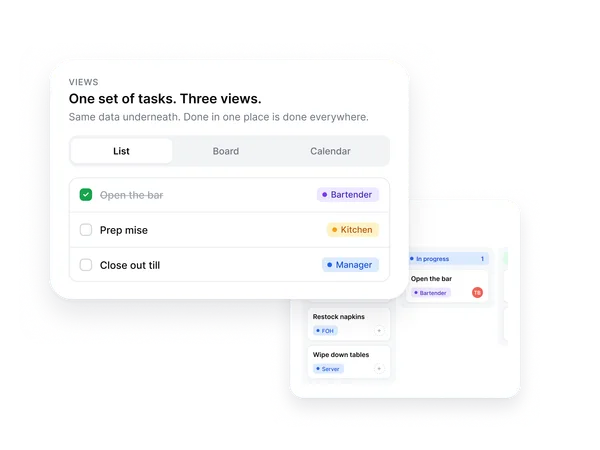
One set of tasks. Three views.
Managers want the board. Floor staff want the list. Owners want the week at a glance.
List for the shift in front of you. Board for what is open, in progress, blocked. Calendar for the week, the month, the season. Same data underneath. Mark something done in one view and it is done in the rest.
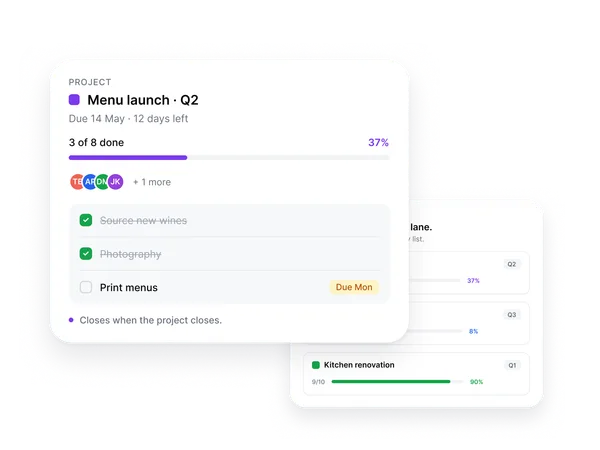
Projects stay in their own lane.
A new opening. A menu launch. A renovation. Each one keeps its own list.
Per-project members, deadlines, and views. Nothing leaks into the daily floor work. Closes when the project closes, so no orphan tasks pile up in the everyday list. Use it for the one-offs that have a beginning and an end.
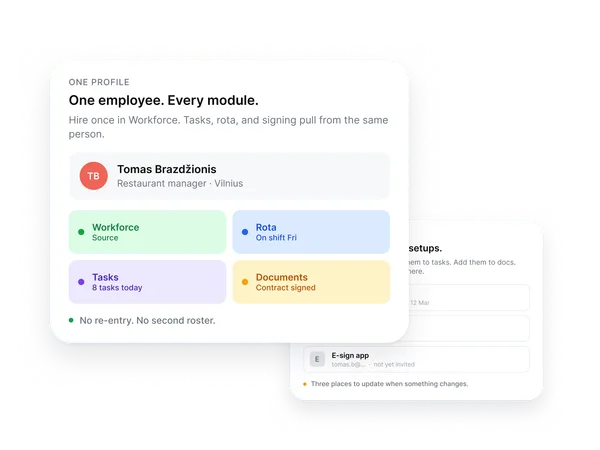
No second source of truth.
The people you already added in Workforce. The shifts you already built in Rota. Tasks ride on top.
One account per person across every module. Role and location come from the profile, not a duplicate setup. Hire someone and they show up in the list the same day. A leaver drops out of every assignment the day they leave the team. The list always reflects who actually works tonight.
A first list takes a few minutes. The recurring ones set up once.
Start with your first listFrequently asked questions
-
Do we need to add our team again?
No. Tasks runs on the same profiles you already have in Workforce. New hires appear in the list the same day they start. Leavers drop out the day they leave.
-
What if a task is assigned to a role and nobody is on shift yet?
It waits for the next shift with that role on. Nothing falls through the gaps. You can also assign by name when it has to be a specific person.
-
Is this Asana?
Simpler. Built for shift work, not project teams. If you need timelines, custom fields, and integrations, you will outgrow us. If you need the floor to know what to do tonight, you will not.
-
Can staff add their own tasks?
Yes, with permissions. By default managers create and staff complete. Owners can flip that per location.
-
Does it work on the same phone as the rota?
Same app. Same login. Same notification. The task shows up on the shift, not in a separate inbox.
-
Can I see what was done last week?
Yes. Every task keeps a record: who marked it done, when, and on which shift. Useful for handovers, audits, and the conversation that starts with 'we forgot to'.
-
What is the difference between a task and a project?
A task is a one-line job that runs on the daily floor. A project is a self-contained list with its own people and deadline, kept apart from the daily work. Same engine underneath.
The list, the team, the shift. One place.
First list takes a few minutes. The recurring ones set up once.
Start free. No card.Free forever tier. No credit card. Cancel in two clicks.