One source of truth for every person.
HR keeps the profile complete: contract, documents, role, pay, access, and key dates. Venue managers get the day-to-day view they need for shifts, documents, and performance.
Free forever tier. No credit card. Cancel in two clicks.
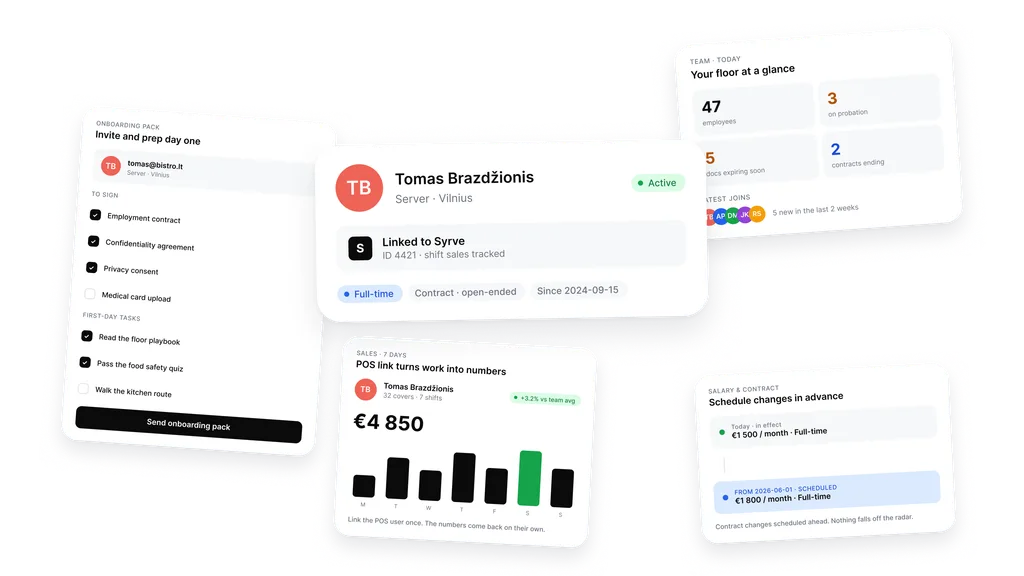
One profile per person.
Role, location, contract, and the POS link in one place.
A profile holds what you need: role, salary, contract dates, notes, the documents, and the link to your POS. Sales per shift come back to the same profile. No second place to keep track of.
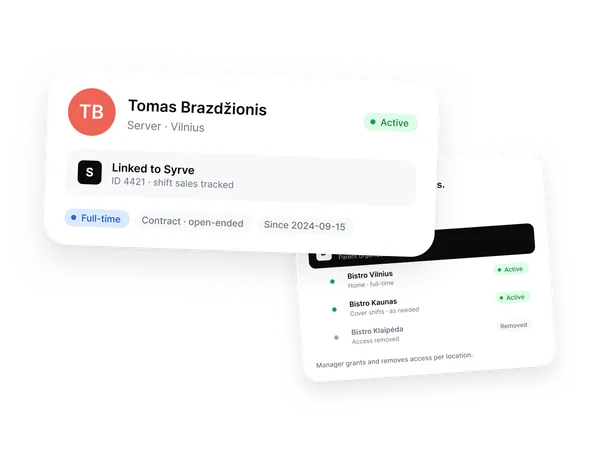
Invite once. Day one is ready.
Pick the documents to sign and the tasks for week one. Send the pack.
A new hire opens one link. They sign the contract, NDA, and consents. They tick off the first-day reading and the food safety quiz. By the time they walk in, the paperwork is done.
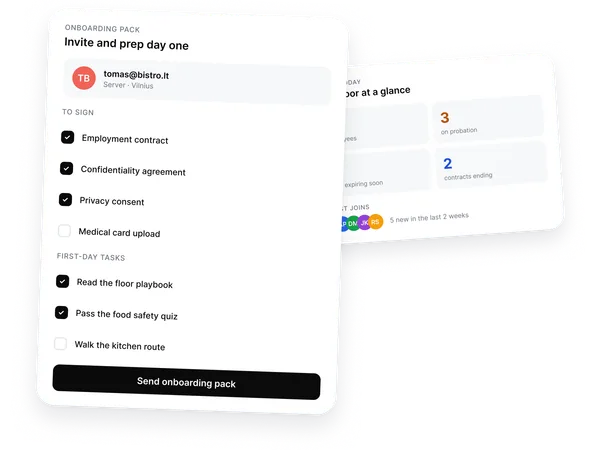
Schedule changes ahead. Nothing falls off.
Future salary, contract end, probation end, birthday. Dated, reminded.
Set a salary change for June 1. Backoffice flips it on the day. Probation ends in 30 days. The review is already on the calendar. Nobody has to remember.
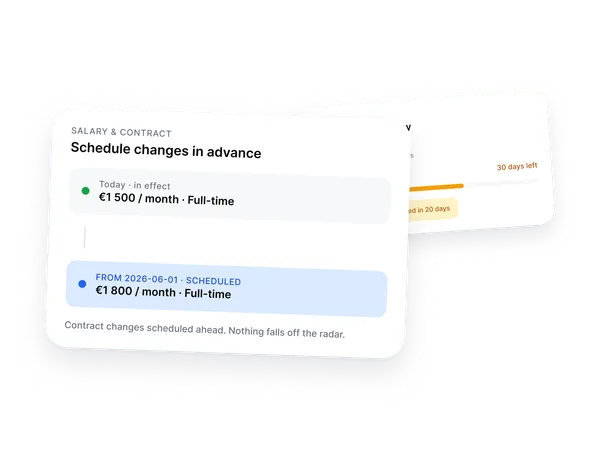
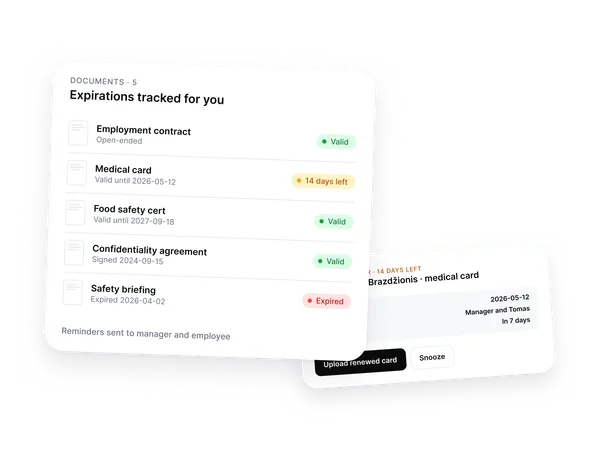
Medical cards stop being your problem.
Upload once. Backoffice tracks expiry and pings everyone in time.
Each profile holds the documents with their expiration dates. Two weeks before the date, the manager and the employee both get the reminder. Renew, upload, done.
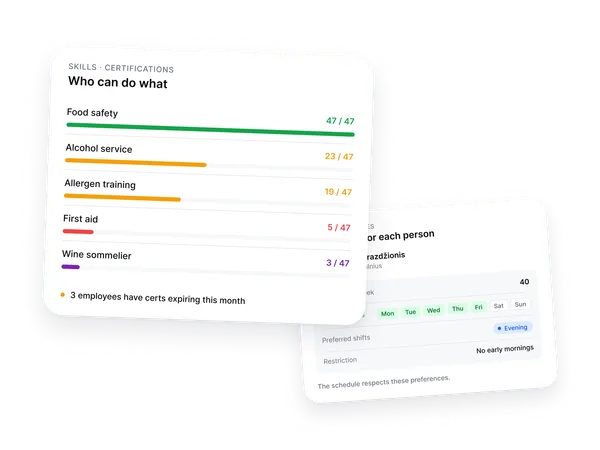
Who can do what. What works for them.
Track certifications. Save schedule preferences. Use both when planning.
See who has the food safety cert and whose first-aid certificate is up for renewal next month. Save each person's max hours, days off, preferred shift. The schedule respects it.
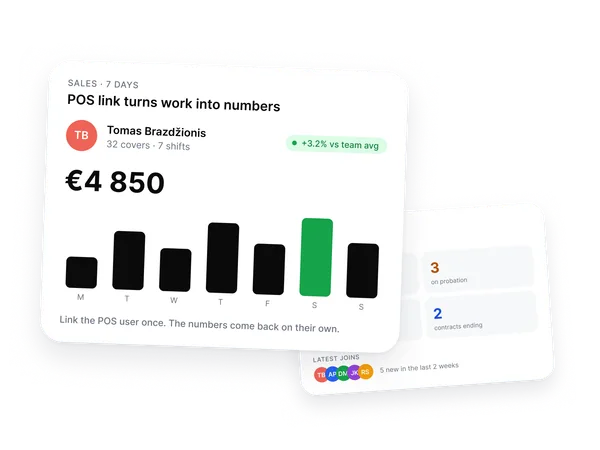
Link your POS once. The numbers come back.
Every shift's sales sit on the employee's profile.
Connect a POS user to a profile and shift sales flow back automatically. Compare against the team average. See who is leading the service team. Talk performance with numbers, not gut feel.
Works with your POS.
Connect a POS user to a profile. Shift sales and hours flow back to the profile.



Don't see yours? Tell us and we'll check
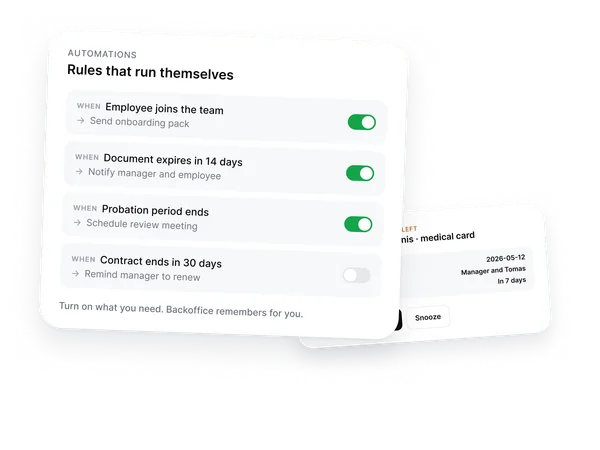
Rules that run themselves.
Backoffice handles the small stuff that always slips.
When an employee joins, send the onboarding pack. When a doc expires in 14 days, ping both sides. When probation ends, schedule the review. Turn on what you need.
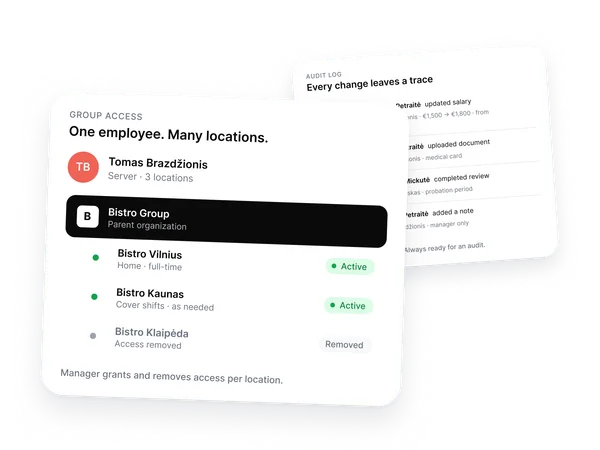
One person. Many locations.
Manage access per location for chains and groups.
A team member who covers Vilnius and Kaunas gets access to both. Klaipėda was last summer. Access removed. Each location stays separate, the profile stays whole.
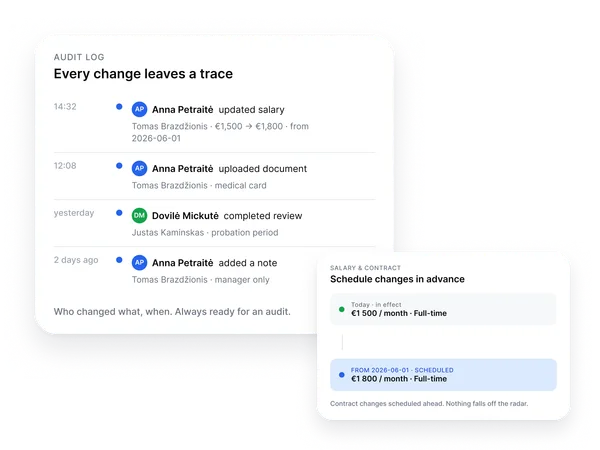
Every change leaves a trace.
Who changed what, when. Always ready for an audit.
Salary updates, document uploads, completed reviews, notes added. Every action stamps the actor and the time. Ready when an audit lands.
Everything is designed to save you time so you can focus on what matters most.
Per location, not per employee. Hire, lose, scale up for summer. The bill doesn't budge.
Add your first employeeFrequently asked questions
-
How does the POS link actually work?
Connect a Syrve, r_keeper, or nSoft POS user to a Backoffice profile once. From then on, every shift's sales flow back onto that person's profile. Compare against the team average and talk performance with real numbers. We confirm POS support before you switch.
-
Where do scheduling and time tracking live?
Workforce holds the employee profiles. Scheduling, time tracking, training, checklists, and procurement live in their own Backoffice modules and read from the same profile. One profile per person, the rest of the system reads from it. Turn on what you need, when you need it.
-
How does this hand off to payroll?
Hours, salary, contract dates, and absences sit on the profile. Export the period you need on demand, or give read-only access to your accountant. The data is yours, in a format your payroll provider can take.
-
We run several locations. How does access and billing work across a group?
Each person has one profile across the whole group, but access is scoped per location. A team member who covers Vilnius and Kaunas gets both. Klaipėda was last summer, access removed. Billing follows locations, not headcount, so each venue keeps control without every new hire changing the bill.
-
Who can see sensitive employee data?
Access is permission-based. HR or people managers can keep the full employee record, while venue and location managers can be limited to the day-to-day information they need for their team and location: shifts, required documents, access, and performance.
-
Who gets pinged when a document expires?
Both the manager and the employee. Default is two weeks before expiry, configurable. Anything you upload with a date counts: medical card, food safety cert, first aid, work permit, training certificate. Renew, upload, the timer resets.
-
What does the audit log actually capture?
Every change to an employee profile. Salary updates, document uploads, completed reviews, access changes, notes added. Each action stamps who did it and when. Filterable by person, by date, by action type.
-
How does the onboarding pack work?
When you invite a new hire, pick the documents they should sign and the tasks they should finish before day one. They open one link, sign the contract, NDA, and consents, tick off the first-day reading and any quiz you set. By the time they walk in, the paperwork is done.
-
What happens when someone leaves?
Mark the contract end date and Backoffice handles the rest on the day. Access is revoked across locations, scheduled changes stop firing, the profile archives with every document and signature intact. Nothing gets deleted, nothing keeps running.
-
Can I use this if my contracts are already drafted somewhere else?
Yes. Upload the Word file you already use, mark the parts that change (name, role, salary, dates), and Backoffice fills it in from the profile. The wording your team approved stays exactly as it is.
-
How fast can I get my team in?
A few minutes per person if you have the contract in hand. Bulk invites for a full roster take an afternoon. Most customers have their team set up the same week.
Start with the people.
The rest of Backoffice plugs into it.
Start free. No card.Free forever tier. No credit card. Cancel in two clicks.